
Community link verification
Iron Soul Dungeon Discord: Official Link Checks and Safe Community Guide
The official Roblox experience identifies its creator as the Iron Soul group, but the public first-party information checked on October 13, 2026 did not expose a stable Discord invite. Do not treat a search result, copied invite, or fan server as official unless the creator links it directly. This guide shows where to check and what to do if no current invite is published.
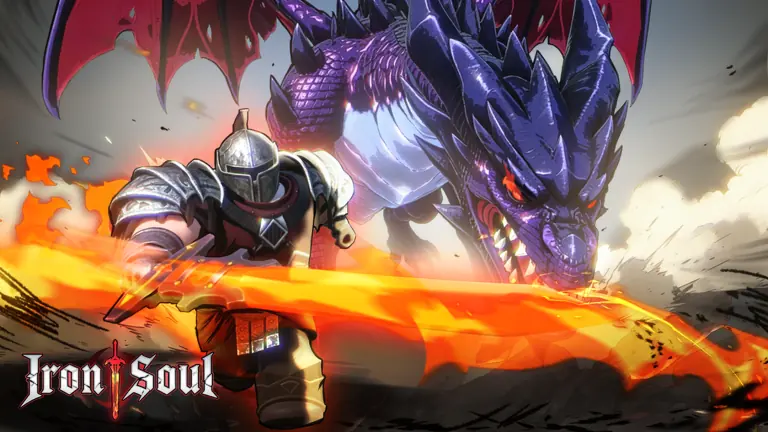
Iron Soul Dungeon Discord: the verified answer first
As of October 13, 2026, we could verify the public Roblox experience and its creator group, but not a current Discord invite published by that creator. That means this guide cannot responsibly label any third-party invite as the official Iron Soul Dungeon Discord. The status can change, so check the creator's current Roblox group or experience description before joining.
The public creator metadata lists Iron Soul and group ID 559846885. This confirms the creator identity shown by Roblox; it does not prove that a specific Discord server is controlled by the creator. A matching game name, logo, member count, or search snippet is not enough evidence on its own.
| What we checked | What it confirms | What it does not confirm |
|---|---|---|
| Roblox public Universe metadata | Experience name and creator group | A Discord invite or server ownership |
| Group and experience pages | First-party places to look for current links | That an unlinked community is official |
| Similarweb Discord results | Navigation demand and Discord.com as a leading destination | The authenticity of an individual invite |
- Checked on October 13, 2026; recheck the live creator source before joining.
- No stable official Discord invite was verified in the sources available for this check.
- Do not enter a Roblox password, cookie, recovery code, or payment detail through a community invite.
Where to check for an Iron Soul Dungeon Discord link
Start with the Roblox experience page and the creator group linked by Roblox. Look for an outbound community link in the current description or group social links. Follow only a link published on a first-party creator surface, and confirm the destination is Discord's own invite domain before joining.
If the Roblox page has changed since this check, use the page's current creator link rather than a saved URL from a video, comment, or directory. A public Roblox Universe API record can help confirm the experience creator, but API metadata does not replace the live page when checking social links.
| Source | Use it for | Trust boundary |
|---|---|---|
| Roblox experience page | Current description and creator identity | A description can change; check the live page |
| Roblox creator group | Group identity and current social links | A group name alone does not authenticate a server |
| Discord invite preview | Server name and invite state | A valid invite still needs a first-party source |
- Open the creator source yourself instead of trusting a repost.
- Check whether the invite is still valid and who published it.
- Treat directory listings and fan wikis as leads, not official confirmation.
How to check an Iron Soul Dungeon Discord invite safely
A Discord invite can expire, be revoked, or point to a server that is unrelated to the Roblox creator. Before joining, compare the invite with the link published on the live creator page. Check the server name, moderation rules, and whether the invite asks you to complete an unrelated download, verification form, or login step.
Discord membership should not require sharing your Roblox password, browser cookie, one-time code, recovery key, or payment details. If a server or bot asks for those, stop and report it through the relevant platform. Do not install an executable or browser extension just to reveal an invite.
| Signal | Safer reading | Action |
|---|---|---|
| Invite comes from the creator page | Stronger source provenance, still subject to destination review | Check the Discord preview and server rules |
| Invite appears only in a comment or directory | Community lead, ownership unverified | Do not call it official |
| Join flow requests credentials or downloads | Unnecessary account or device risk | Close the page and do not proceed |
| Invite is expired | The old link no longer works | Return to the live creator source |
- Discord links should lead to discord.com or discord.gg, not a lookalike domain.
- Never share account credentials, cookies, recovery codes, or payment information.
- Avoid downloads and browser extensions required only to view an invite.
Official Iron Soul Dungeon Discord vs. fan community
A fan server can still be useful for questions, group runs, or update discussion. The important distinction is disclosure: a fan community should be described as community-run unless a current first-party creator source identifies it as official. Similar branding and active members do not establish developer control.
When you cite a community post, keep its source and date visible and label it as a player report. Treat gameplay claims about codes, drops, builds, or rewards as leads that need an in-game check. This fan guide is independent and is not operated by Roblox or the Iron Soul creator.
| Evidence | Appropriate label | Do not claim |
|---|---|---|
| Creator links the server from a current Roblox surface | Creator-linked or official, with the source noted | That every member or post speaks for the creator |
| Players share an invite without creator linkage | Fan or community server | Official Iron Soul Dungeon Discord |
| A screenshot or repost shows an old invite | Historical lead | Current invite or active server |
- State who runs a server only when a first-party source supports it.
- Label community posts and reports as user-sourced.
- Separate an active fan community from an official announcement channel.
What to do if no official Discord link is available
Use the public Roblox experience page and creator group as the reliable starting points for game identity and announcements. For game systems already covered on this site, use the dated guides below and check their source notes. If you find a new creator-published invite, verify the page that links it and the destination before sharing it with other players.
Because community links can change, this page records the check date rather than promising that an invite is permanent. The creator's live Roblox surfaces take precedence over this article if they publish a new link later.
- Check the live experience description and creator group social links.
- Use the site's codes and progression guides for information with visible update notes.
- Recheck this page after a Roblox creator-page or group update.
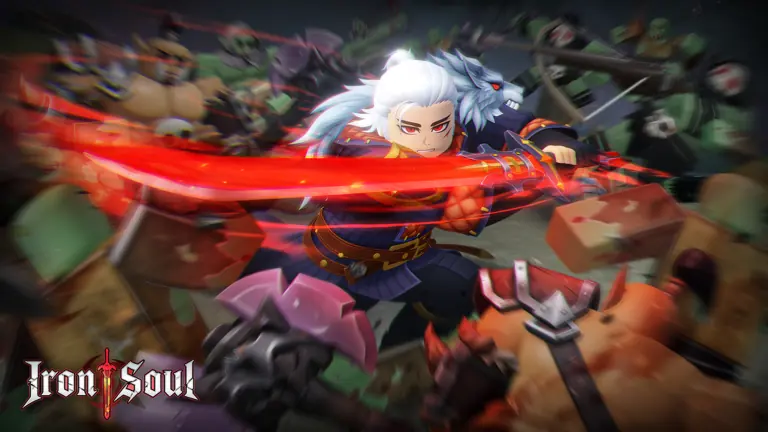
Iron Soul Dungeon Discord FAQ
What is the official Iron Soul Dungeon Discord link?
We did not verify a stable Discord invite published by the Roblox creator as of October 13, 2026. Check the live Iron Soul Roblox experience page and its linked creator group for a current first-party link.
Does Iron Soul Dungeon have an official Discord server?
The Roblox public metadata confirms the Iron Soul creator group, but the sources checked for this page did not establish a Discord server controlled by that creator. A fan server may exist, but it should not be labeled official without a first-party link.
Where can I find a Discord server for Iron Soul Dungeon?
Start from the Roblox experience page or creator group and follow a current social link if one is published. Search results and directories can be leads, but verify the invite source before joining.
Is an Iron Soul Dungeon Discord invite from a video official?
Not by itself. Check whether the same invite is linked from the current Roblox creator surface. Older video descriptions and comments can contain expired or community-run links.
What should I do if the Iron Soul Dungeon Discord link is expired?
Return to the live Roblox experience or creator group and look for an updated link. Do not use a mirror that asks for account credentials, a download, or payment to expose an invite.
Can a fan Discord be useful even if it is not official?
Yes. A community-run server can help players discuss runs and updates, but its ownership should be labeled accurately and gameplay reports should be treated as player-sourced until verified.
Summary
The public Roblox experience identifies the Iron Soul creator group, but this check did not verify a current first-party Discord invite. Start from the live creator source, distinguish fan communities from official channels, and never share account credentials to join. This status was checked October 13, 2026 and should be revisited when the creator page changes.